

 InfoSearched
Getting your gaming PC onto the couch doesn’t have to mean running fifty feet of HDMI cable under the rug.
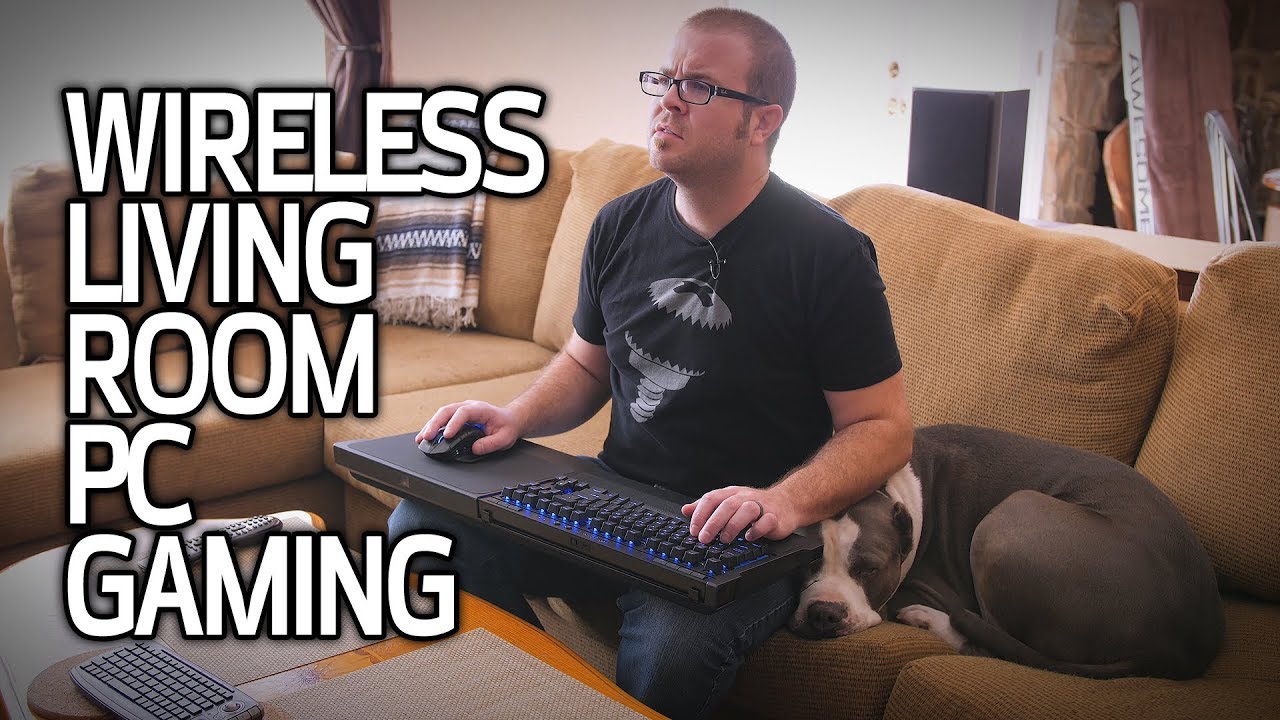
In “Wireless PC Gaming in the Living Room!”, Paul from Paul’s Hardware runs through the actual hardware and software options for pulling desktop PC gaming off the desk and onto the TV without a cable snaking across the house. He breaks down streaming boxes, wireless HDMI kits, and the couch-friendly input gear that makes the whole setup usable, weighing the trade-offs of each against a plain wired monitor setup.
- Paul evaluates Valve’s Steam Link and the NVIDIA SHIELD as dedicated in-home streaming boxes that render on the PC and decode the video feed on a separate device next to the TV.
- Wireless HDMI transmitter-receiver kits are covered as a rendering-free alternative — the PC’s actual display output gets sent over the air rather than encoded and streamed.
- Network backhaul matters as much as the box itself: Paul contrasts Wi-Fi streaming against a wired Ethernet connection for latency and compression artifacts, and covers wireless controllers, keyboards, mice, and couch lapboards as the peripheral side of the equation.
Streaming Boxes Versus Wireless HDMI
The core split Paul lays out is between in-home streaming and straight signal transmission. Steam Link and the NVIDIA SHIELD both work by having the desktop PC encode the video and audio in real time and send it over the local network to a small box sitting under the TV, which decodes it and outputs a clean signal. That approach means only a thin network cable or Wi-Fi signal has to reach the living room — the PC itself can stay in a bedroom or office closet.
Wireless HDMI kits take a different approach entirely: rather than encoding anything, a transmitter plugged into the PC’s HDMI output sends the raw display signal to a receiver near the TV. Paul frames this as a lower-latency but less flexible option compared to streaming-box encoding, since there’s no compression pipeline to introduce artifacts, but the transmitter and receiver need a clean line of sight or close proximity to work reliably.
Wired Backhaul Versus Wi-Fi
Whichever streaming box a viewer picks, Paul stresses that the network connection behind it decides whether the experience actually feels good. A Steam Link or SHIELD running over Wi-Fi will introduce more compression artifacts and added latency than the same device wired into the router with Ethernet, especially in a busy household network with other devices competing for bandwidth.
Local rendering with a wired Ethernet backhaul is the closest thing to sitting at the desktop monitor — everything else is a compromise you’re trading for convenience.
That trade-off is the throughline of the whole video: every wireless solution Paul tests buys freedom from cables at the cost of some amount of latency or image quality, and the size of that cost depends almost entirely on whether the signal is riding Wi-Fi or a physical Ethernet run to the living room.
Making the Couch Actually Playable
Getting video and audio to the TV solves only half the problem — Paul spends real time on how to actually control a game from a couch. Wireless gamepads are the obvious fit for controller-supported titles, but for games that need a mouse and keyboard, he covers lapboard accessories built to hold a mechanical keyboard and stabilize a mousepad on a sofa cushion, since a bare keyboard and mouse on a couch cushion are nearly unusable.
Wireless keyboards and mice round out the peripheral side, and Paul treats input responsiveness as its own separate concern from video latency — a wireless mouse that feels fine at a desk can behave differently once it’s paired with a streamed video signal on the far side of the room, so the two latency sources stack rather than cancel out.
For anyone who’s already sunk money into a high-end display setup at the desk, like the ultra-wide monitors covered in Nothing else is even close – Samsung Odyssey G9 Monitor, the calculation Paul lays out is really about whether the convenience of the couch is worth giving up some of that fidelity — and for peripheral upgrades along the same lines, the lapboard and controller gear he runs through sits in the same category as the setups covered in This Gaming Seat took THREE DAYS to set up….









Top 10 NEW OPEN WORLD Upcoming Games of 2019 & 2020 | PC,PS4,XBOX ONE (4K 60FPS)
10 Essential Titles Every New Gamer Must Play
10 Video Game Fates Worse Than Death
10 Video Games That Will Consume Your Life
Xbox SPEAKS OUT On New PS5 Games | STUNNING Xbox Series X Games & Next gen Graphics NOT Held Back