

 InfoSearched
PS4 owners across the country are staring at the same error code tonight, and it isn’t their console’s fault.
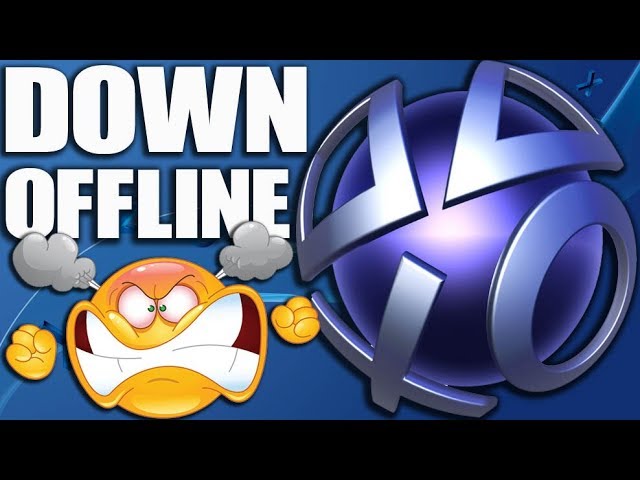
Sign-in failures, dead PlayStation Store pages, and multiplayer lobbies that refuse to load have been hitting PS4 owners in waves throughout 2019, and gaming YouTuber MonkeyFlop’s video “PSN Servers Down today – PS4 Offline – PlayStation Network Sign in Error Fail” walks through exactly what’s going on. The short answer: it’s Sony’s servers, not your console, and definitely not a ban. MonkeyFlop breaks down the specific error players are seeing, why panic over account suspensions is misplaced, and how to actually confirm an outage instead of guessing.
- Recurring PSN outages in 2019 have repeatedly locked PS4 users out of signing in, playing online multiplayer, or browsing the PlayStation Store.
- The disruptions commonly trigger the network error code NP-39225-1, which players frequently mistake for a sign that their account has been banned or suspended.
- MonkeyFlop instructs affected users to check Downdetector and Sony’s official PlayStation Network Service Status page to confirm a server-side outage before touching any console settings.
Current System Outage Details
The error code at the center of this mess, NP-39225-1, shows up when the PS4 can’t complete authentication with PSN’s sign-in servers. It’s not a corrupted save, a bricked console, or a bad update — it’s the network handshake failing on Sony’s end. When it hits, players get bounced from parties, can’t launch online modes, and sometimes can’t even open the Store to check their library.
MonkeyFlop’s video treats this as a recurring pattern rather than a one-off glitch, framing the 2019 disruptions as the kind of thing PS4 owners should expect to see again. That’s the whole point of the video: teach people to recognize the symptoms instead of assuming the worst every time the sign-in screen throws an error.
The Ban Panic, Debunked
The most common reaction MonkeyFlop addresses head-on is the fear that a sudden sign-in error means Sony has suspended or banned the account. It’s an understandable jump — a locked-out console feels personal — but the video is direct about why that’s almost never what’s happening during a widespread outage.
A sign-in error during a server outage isn’t a ban notice — it’s Sony’s network telling every PS4 owner in the region the same thing at once.
That distinction matters because plenty of players respond to a lockout by resetting network settings, rebuilding their PS4 database, or even contacting Sony support about a suspension that was never issued. MonkeyFlop’s advice cuts through that noise: check whether it’s happening to everyone else first.
Verifying Outages Before Troubleshooting
Instead of tweaking DNS settings or rebuilding the console database on a hunch, MonkeyFlop points viewers to two sources: Downdetector, which aggregates real-time user reports of connectivity problems, and Sony’s own PlayStation Network Service Status page, which lists the health of individual services like sign-in, gaming and social, and the Store. If both are lighting up red, the fix isn’t on the player’s end — it’s waiting for Sony’s engineers.
This is a small but useful habit for anyone who spends time in PS4 online modes, whether that’s grinding Red Dead Online sessions or just trying to check the PlayStation Plus lineup. A five-second status check saves an hour of pointless troubleshooting.
Root Causes of Recurring Issues
PSN has never been immune to outages, and 2019 was no exception — sign-in failures, Store downtime, and multiplayer disconnects have popped up often enough that channels like MonkeyFlop’s have built entire videos around explaining them. For a network carrying the login traffic, purchases, and matchmaking for every active PlayStation console, that kind of load means occasional strain is close to guaranteed.
The recurring nature of these disruptions is also why MonkeyFlop’s video functions less like breaking news and more like a standing reference — the kind of thing worth bookmarking for the next time NP-39225-1 pops up on screen.
Next time the sign-in screen throws that error, skip the panic and skip the console reset — pull up Downdetector, check the PSN status page, and if the red flags are already there, it’s not your PS4. It’s Sony’s turn to fix it.




Evil Dead: The Game – Gameplay Overview Trailer | PS5, PS4
Xbox & Bethesda Games Showcase – 4K – Full Show
Death Stranding is Addicting and the 2nd Best Selling Exclusive and New IP of 2019
5 Game Worlds BIGGER Than Planet Earth
Gaming Masterpieces